> For the complete documentation index, see [llms.txt](https://docs.fermat.app/llms.txt). Markdown versions of documentation pages are available by appending `.md` to page URLs; this page is available as [Markdown](https://docs.fermat.app/ai-tool-catalogue/apparel-and-accessories/generate-designs.md).
# Generate designs
Create stunning fashion visuals with simple prompts
## Introduction
In the dynamic landscape of the fashion industry, efficiency and innovation are paramount. Advancements in AI technology now enable designers to seamlessly transform their ideas into high-quality visuals by simply providing a detailed text description, without the need for complex software. This article is a comprehensive guide to generating high-quality images using AI-driven prompts.
## Step by step guide
To generate designs with prompts, follow these steps:
{% stepper %}
{% step %}
### Open the AI tool
1. Go to[ ](https://fermat.app/)[Fermat.app](https://fermat.app/) and log into your account.
2. Open:
* '[Generate garment](https://toolmaker.fermat.app/tool/generate-garment-photo-13301f8c-f8cf-4e46-ae84-939737ab3434)' tool if you want to create high-quality apparel product photos including dresses, jackets, shirts, and more.
* '[Generate accessory](https://toolmaker.fermat.app/tool/product-photo-295e94c2-73df-4ce5-876c-e51ea66c7a93)' tool if you need to generate stunning accessory product photos, including jewelry, shoes, bags, and more.
* '[Generate technical drawing](https://toolmaker.fermat.app/tool/generate-technical-drawing-d54b5571-efea-45ea-96de-f8248bb8815b)' tool if you want to create black & white technical draws.
{% endstep %}
{% step %}
### Enter your prompt
Provide a text description of the design you want to generate. [Learn more](https://letsenhance.io/blog/article/ai-text-prompt-guide/) about how to write a good prompt.
{% hint style="info" %}
Example: A slim-fit, warm gray, rib-knit, feminine turtleneck sweater, featuring delicate texturing and subtle sheen, accentuating the sleek silhouette.
{% endhint %}
{% hint style="info" %}
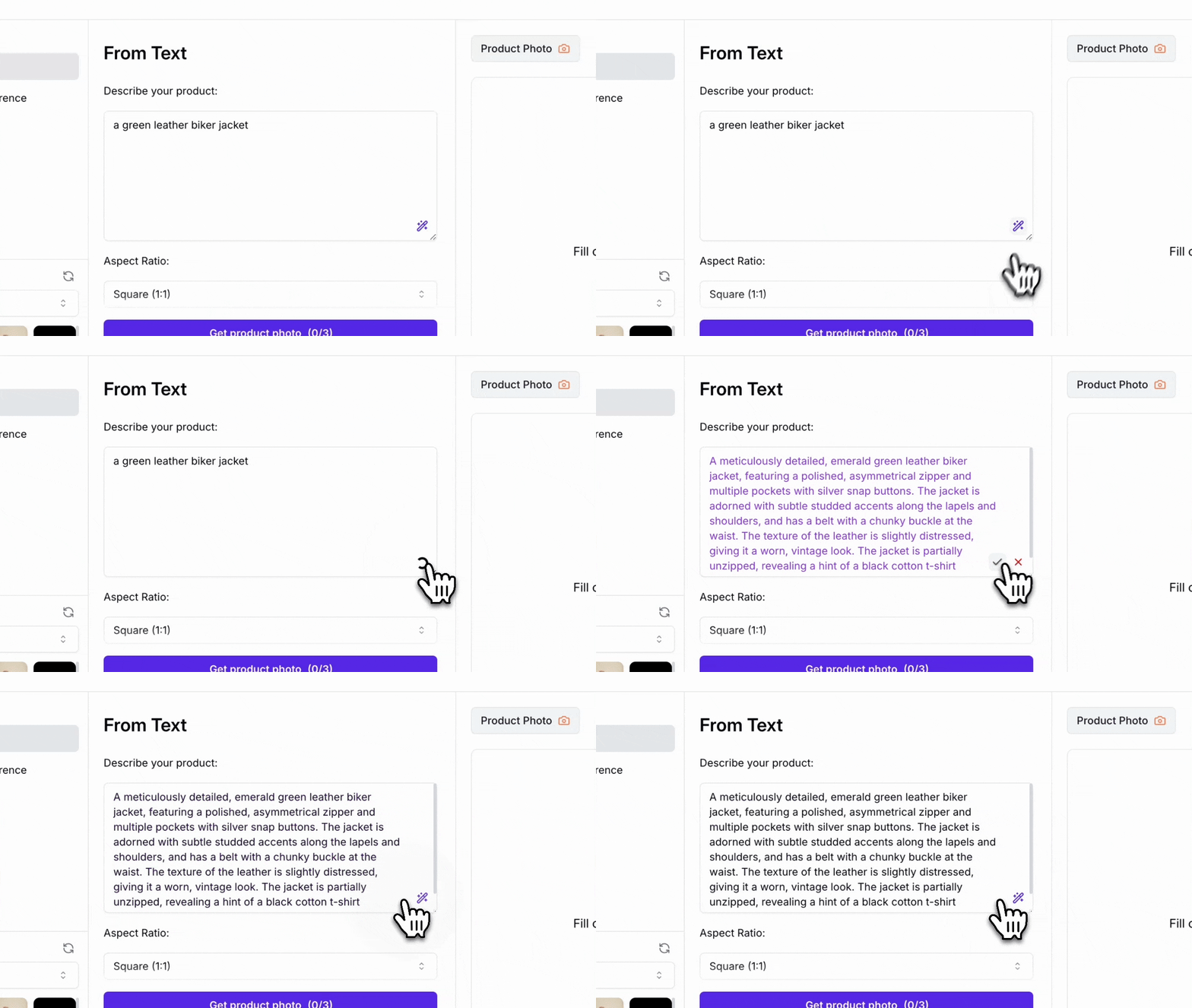
Optionally, you can click the blue magic wand button to refine your description. Alternatively, upload a reference image and press the same button to analyze it and generate an accurate description based on the attached image.
{% endhint %}
Magic wand command refines your description
{% endstep %}
{% step %}
### Define an aspect ratio
Define the aspect ratio of the output image.
{% endstep %}
{% step %}
### Generate image
Click on the *'Generate'* button and let the AI process your inputs. In a few seconds, you will have your new design.
Generate photoshoot button
{% endstep %}
{% endstepper %}
{% embed url="" %}
### (Optional) Choose a reference image
You can upload a reference image to guide the AI, enabling it to capture the composition, lighting, shading, and other visual elements with precision.
{% hint style="success" %}
Supported formats: JPEG, PNG, and WEBP
{% endhint %}
### (Optional) Adjust variation from reference image
Define how much the AI model should follow your reference image. This means that more variation brings creative changes but makes it look less like the reference image.
## Examples
### Generate garments
Create high-quality apparel product photos including dresses, jackets, shirts, and more
Generate garment
### Generate accessories
Effortlessly generate stunning accessory product photos, including jewelry, shoes, bags, and more.
Generate accessories
### Generate technical drawings
Create black & white or colored technical draws from scratch.
Generate technical drawing
### Generate images with Personalized AI
You can design coherent collections with Custom Styles using visual references. Find out more by clicking on the link below.👇
{% content-ref url="/pages/8pe6T4tt6Ktc7IXk3d6Q" %}
[Moodboards](/custom-styles/moodboards.md)
{% endcontent-ref %}